Publishing online flip books: useful tool or gimmick?

25 06 2010

Well-designed Web sites seem to me marvelously functional for conveying information online. And I find viewing pdf files on Adobe’s reader perfectly serviceable for sharing designed print documents. But there’s another format out there—so-called “flip books”—that can prove useful in some circumstances for disseminating documents. So, here’s a roundup of the available flip book publishing systems, including those for the iPad and other tablet computers.

The simplest such systems are those such as Youblisher that do nothing more than convert an existing pdf file into an online flip book with a page-turning feature. I gave Youblisher a try by uploading my booklet Working with Public Information Officers. While the flip book format doesn’t seem much more convenient than a pdf file, sharing is far simpler. You don’t have to actually transmit what is often a large document, but only provide a URL for users to view  it. And, you can embed the link in your Web site.

A more elaborate publishing system is Issuu, which advertises itself as not just an online flip book conversion service. Issuu also seeks to become a social networking site for documents, in which users can create an individualized library of  magazines and other publications and share them with others, such as colleagues. Here’s a review of Isuu that discusses its features. And here’s what Working with Public Information Officers looks like on Issuu. It’s a more accessible flip book format than Youblisher’s; for example, including thumbnails that let the reader find a specific page more easily.

More elaborate still are the systems for creating digital magazines. Many of these go beyond text, to allow embedding video, animations, and audio in the document. However, these are not free. Here’s a list of those systems, with links to demos, where available.

Besides such flip book systems, there are also those, such as PicaBoo that are specific for publishing photo books. Here’s a video overview of Picaboo. And there are many digital scrapbooking software programs for creating online scrapbooks.

Then there’s the Big Dog of publishing platforms, the Apple iPad. Unlike many of the flip book systems, Apple iPad publications need professional design and programming, and Apple offers guidance in developing such apps. Samir Kakar, of the content publisher Aptara offers this helpful article on “Publishers Considerations for iPad”

Another distributor of magazines for the iPad is Zinio, and it’s useful to take a look at their publications. Also, there’s the Sideways magazine publisher for tablet computers.

And for those who still like the feel of paper, there’s always the option of publishing a print magazine through a traditional printer or the boutique service  MagCloud and then adapting it to the Web as a flip book.

In an entirely different category of online publishing is KeeBoo, more than a flip book, but an authoring system for collecting, organizing and annotating all kinds of media—text, photos, illustrations, animations, videos, and Web sites—into multimedia e-books. These can be posted on a web site or distributed via e-mail. Here’s a flash demo of the system.


Webinar: Explaining Research: New Tricks for New Media

11 06 2010

Physics World bannerHere is a link to the webinar  “Explaining Research: New Tricks for New Media,” which I  gave on June 9, 2010, as part of the Physics World webinar series.Margaret Harris

The moderator was Margaret Harris, Reviews and Careers Editor for Physics World, and who I’m very proud to say is a (highly talented!) former science writing student of mine. Margaret studied physics at Duke and then did a PhD in atomic physics at Durham University in the UK.

The webinar description:

Your career success depends not only on doing good work. You must also explain that work to important audiences: your colleagues, funding officers, donors, your institution’s leaders, students, your own family and friends, journalists, and the public. Dennis Meredith will offer invaluable tips on using new media technologies to engage those audiences in a clear and compelling way.


Making Pretty Good Videos Pretty Cheap

4 06 2010
Dennis Meredith in SciVee video

Click on image to view video

As video cameras decrease in cost, and video editing software becomes easier to use, video is rapidly becoming an integral part of research communication. To help researchers make better videos, my wife Joni and I created this instructional video for SciVee, which is the leading service for syndicating research videos.

Besides the shooting tips the video itself offers, our experience in producing the video can be useful for researchers and communicators.

First of all, we “aimed low” in our production budget. We strictly limited ourselves to the equipment that an average postdoc or student could afford, and tried to wring the most production value out of it.

The camera was a Kodak Zi8 pocket camera, chosen because it has received excellent reviews, costs only about $140 and is the only pocket camera with an external microphone jack. I learned the importance of having good sound in videos when I took the Izzy Video series of how-to videos. This and other tutorials make the point that viewers will tolerate poor-quality video if the sound is good; and even the best  video will lose viewers if the sound is poor. The microphone in the camera  invariably produces hollow, echoing audio more likely to include room noise and random mumblings of the camera operator. To capture audio via the microphone jack, I bought an inexpensive wired lavaliere mike for about $30.

The Zi8 does lack many features of higher-end camera, including selective focusing, digital image stabilization, and adjustment of white balance, but it worked fine for the Web-quality videos I would be shooting.

If you use a Zi8 or other pocket camera, here are some shooting tips from Izzy Video:

  • Since the camera is very light, it is easily jiggled when handheld, so if you’re operating without a tripod, brace yourself against something and concentrate on holding the camera still.
  • Similarly, the camera’s lightness tends to encourage quick panning, so if you must pan, concentrate on panning slowly.
  • Since the camera has only an autoexposure, you can’t adjust to properly light a particular subject in the frame, so arrange your shot so make sure your primary subject is adequately lit.

The Zi8’s lack of white balance adjustment limited lighting possibilities. I couldn’t use the inexpensive tungsten work light I had bought at a hardware store, since it made the scene look yellowish. So, we ended up shooting in natural light on our screened porch, and coping with the changing lighting as clouds passed in front of the sun. The need to depend on natural light meant that the resulting video shows lighting  variation within scenes and my image is a bit overexposed because of the camera’s autoexposure feature.

A stable image is another key requirement for good videography, so we mounted the camera on an old camera tripod. If you don’t already have a tripod, a cheap alternative is the small tabletop tripod that is available for pocket cameras.

Background is also important. The main background for our shoot was a dark blue blanket, chosen because it was  non-reflective and highlighted the “talent” (me). To add interest to the background, we hung an image of the book cover on the blanket. To make the image, we printed out the Explaining Research book cover jpeg file on 11×17 paper at a office supply store and pasted it on gray cardboard with a 1/2-inch border to frame it against the backdrop.

When we shot outdoors to demonstrate how to include background, I found a place where the woods in the background were in shade, but I could be in sun. With a more expensive camera, I could have used selective focus to  make the subject stand out from a background; that  is, creating a shallow depth of focus so the subject is in focus, but the background is blurred out.

To make the video more visually interesting, I shot additional footage at the Duke Lemur Center, which I used to demonstrate a cutaway. Similarly, when you’re doing a video, think about cutaway shots that will relieve the viewer from having to look at you the whole time. The cutaway shots can be of experiments or relevant subjects in your lab; but they can also be still images or video footage from outside sources. The Explaining Research reference section includes a long list of repositories of both free and commercial still images and video footage.

The need to read from the script presented another production challenge. I wanted to use a script to make the narration as tight as possible, but when I tried reading it from a page holder positioned to the side of the camera, it did not allow me to look into the camera when talking. The solution was to print out the script in a large type font and mount the pages on poster board set on an easel directly behind the camera. Since the large-font script took up many pages, Joni had to shift the poster board as I talked to keep the text in my eyeline, while looking at the camera.

In editing the video, I opted for the high-end package Pinnacle Studio 14, rather than the free editing software that comes with Windows and Mac computers. Those are perfectly good for most purposes, but I wanted to have the capability of more advanced abilities such as special effects, multiple sound tracks and still-image choreography. Learning Studio 14 was certainly more onerous than learning the PC or Mac editing software, but it was worth it for the additional editing features.

Overall, the whole shoot—camera equipment and all—cost about $300. And we plan to use the same basic equipment for other instructional videos. However, although we could continue to use the Kodak pocket camera, I plan to use a high-end video camera we own for its more advanced capabilities.

Certainly, the result is not broadcast-quality, and with experience I can likely do better, but it’s a pretty good Web video, made pretty cheap.


SciVee: Integrating Video into Scientific Publication

31 05 2010

Video is rapidly becoming an important tool for researchers—in documenting their experiments, in scientific publication, and in explaining their work to broad audiences. While there are many outlets for syndicating and sharing such research videos, of these outlets SciVee offers the most comprehensive set of services for integrating video into scientific publication. These include

  • PubCasts, synchronized video abstracts of peer-reviewed articles
  • PaperCasts, synchronized video abstracts of non peer-reviewed articles
  • PosterCasts, synchronized video of posters or conference presentations
  • SlideCasts, synchronized video of slide presentations
  • Video and podcasts, standard research podcasts and videos

Given SciVee’s prominence, I asked CEO Marc Friedmann to talk about the evolving role of video in scientific publication and SciVee:

What do you think are the significant trends in the application of video to scientific publication?
The use of video is part of a large trend toward rich media in publishing. Over the last 15 years publishers have gone from delivery via print only to a strong move on-line. We can see this with newspapers, magazines and scientific journals. With the increase in available bandwidth, standardization of formats and the dramatic drop in cost of creating digital video the journals and researchers are increasingly incorporating video and rich media content into their scientific content. We see this as the convergence of publishing and video on both stationary and mobile devices.

Are journals and researchers using video to maximum advantage in their scientific publication today?
Aside from not keeping up with reader expectations, the predominant text format needs to be significantly enhanced for knowledge dissemination and discovery given the explosive growth of content on the Internet. It is now increasingly difficult to find an efficient filter for relevant and interesting content by having to read a text-only abstract. Therefore it is more difficult for researchers to disseminate their work to the broadest audience in order to increase their recognition, impact and citation. Video is a proven medium to enliven science and scholarly communications by supplementing the text.

What do you think are the major barriers to using video in scientific publication?
Making a video used to be costly, time consuming and complicated. With good quality handheld digital cameras and webcams on most computers, capturing video has become straightforward. Free software comes included on both Windows and Mac computers that enables even novices to easily edit video. The techniques for making scientific videos are really no different than making a home movie. Research by SciVee has confirmed that a reasonable quality video—e.g., handicam or videocam—is acceptable to most readers. The scientific content is much more important than having a “NOVA-quality” video production.

What do journals and researchers need to understand about the value of video in scientific publication that they might not appreciate now?
Web 2.0 has ushered in the age of interactive rich media for all online interactions. Online visitors now expect and demand a media-rich interactive experience when they go online, whether they are shopping, viewing content, social networking or getting information from a business enterprise. All science publications and researchers increasingly must deliver such experiences to engage their readers and clarify the delivery of their scientific findings.

How does SciVee’s synchronization technology work, and why is it important in applying video to scientific publication?
The SciVee platform is designed to provide a video integration, hosting and distribution capability to researchers, journals and conference organizers to enliven their Web presence and satisfy their audience’s need for dynamic content. SciveeCasts (see example here) are a family of synchronized video products which synchronizes the video with the underlying document such as a journal article, poster, supplement or coursework. It enables a viewer to fully absorb the information, impact and context of a complete multimedia presentation by watching the video and reading the highlighted text and graphics of the underlying document.. It is a much more dynamic and efficient way to disseminate and absorb scientific and scholarly knowledge than a text-centric document, podcast or plain video. 

What mistakes do you most often see scientists make in creating videos, and how can they remedy them?
The biggest mistake we see is the researcher not paying enough attention to the audio when creating the video. They need to make sure that they speak loud and clearly enough. Also, the author should not speak in a monotone or the viewer will lose interest. And they should make sure that the audio track stays synchronized with the video. Even though SciVee has a video website, we have tens of thousands of podcasts downloaded every month, so there is  as good chance that an author’s research will be heard as much as it is seen.

What is the value to researchers and journals of having their papers associated with SciveeCasts?
SciveeCasts deliver significant benefits to viewers, authors and the institutions which use them:

  • Viewers: More engaged and efficient way to filter scholarly information for further in-depth study (Visual abstract function). Improved retention.
  • Authors: Promotes dissemination of work and recognition. Increases impact of work.
  • Journals: Higher traffic, article views and reader interest. Broaden audience base. Promotes work of authors/members and mission of institution. New services and monetization possibilities.

For journals traffic is the lifeblood of their online publications, and SciveeCasts have proven their  ability to drive traffic, increase article views and broaden their audience.  Some specific SciVee examples:

  • In the course of 26 editions in 24 months across 5 PLoS journals, PubCasts have recorded approximately equal number of views as the articles themselves, which effectively doubles the exposure of those articles.  Other SciVee journal customers have typically seen a tripling of the number of views associated with their articles.
  • A leading journal in the preventive medicine field published an article in April, 2009 and saw a total 1,021 abstract views through September in a very typical view curve over time.  By September, abstract views were under 50, and clearly dwindling.  It published a PubCast about the article in October and immediately saw a spike in abstract views such that by the first half of Feb. 2010, that article attracted another 620 views.  By mid-March 2010, this PubCast has garnered 2,290 views, far greater than the average number of abstract views of this journal.
  • On the company’s website, on average SciVee observes 12 times as many pageviews for each Pubcast as for a standard scientific video. Viewers like the researcher explanations provided by the PubCast, find them engaging and, hence, spend much more time with them.

Why not just use YouTube?
YouTube is excellent if you just need a place to host short videos. However, it is built for short, unfiltered user-generated videos rather than the longer, higher-quality videos associated with scientific and scholarly content. YouTube also does not offer the workflow, quality control process and metadata required by scientific publishing. Below is a summary of how SciVee is different and superior to YouTube in many respects:

SciVee YouTube
Focus Science Entertainment
Audience 75,000 professional scientists, researchers, educators and students. 1 billion consumers
Video  limit 1 hour+ of video permitted Generally a 10 minute limit
SciveeCast Video synchronization capability unique to SciVee. None
Supplementary materials Easy upload None
DOI/Metadata Each video has a DOI assigned and metadata associated with it that promotes further collaboration, indexing and citation which are required for scholarly publications. None.
Tagging Automated process drawing upon all relevant tags across SciVee. None
Workflow Easy video supplement creation & management process for SciveeCasts. None
Editorial control Flexible QA/peer-review process built in system. None

What about the expense involved?
SciVee’s platform and SciveeCasts are designed for mass adoption. Thus the video upload, synchronization and publishing process must be easy, fast and cheap. Authors can create and upload the videos on their own with minimal help from publishers or SciVee support. No special equipment is needed, the process is intuitive, and total time required is typically 1-2 hours per piece. All work is done on the Scivee site in a browser with nothing to download. The author starts working as soon as he or she is logged in.

For the journal, the SciVee platform is easy and economical to adopt:

  • It is a software-as-a-service (SaaS) where everything is done via a web browser with nothing to download.
  • There is no IT investment or administration headaches. It provides the service, journals and authors just use it.
  • The platform is standards-based, which means it’s easy to upgrade, customize and maintain, and
  • It is designed to seamlessly integrate into a journal’s publishing system and web presence.

How would a journal and an author work together in publishing an article that includes video?
The SciVee platform’s unique advantage is its simple workflow that allows journals and authors to jointly produce the videos as part of the article publishing process. This simple workflow is:

  • Create SciveeCast: The author logs into SciVee and creates the SciveeCast by uploading the video and article, synchronizes the two, enters the metadata associated with the SciveeCast, and leaves. The same process applies to plain videos only, without uploading or synchronizing of the article.
  • Review and Publish: When the draft SciveeCast is created, the editorial staff is notified, which reviews the content and approves it for posting. During the upload process, an author can edit all items of the video/SciveeCast except publishing options. The video/SciveeCast is locked down after it’s published to ensure integrity—changeable only by authorized editorial staff.
  • Distribute/Link: Once a SciveeCast or video is approved and posted, the journals and author should aggressively embed and link them to maximize distribution and traffic.


Please Explain: Training Scientists to Be Better Communicators

17 05 2010

This commentary was published May 16, 2010, in The Chronicle of Higher Education (registration required)

When it comes to persuading the American public about some of the most controversial issues of our time, today’s scientists too often get failing grades. Gallup polls show that only 39 percent of Americans believe in evolution, for example, while 48 percent say global warming is exaggerated and 46 percent say temperature increases are not due to human activity. And despite many recent court rulings asserting that there is no scientific evidence that vaccines cause autism, far too many parents still cling to that dangerous belief and refuse to have their children vaccinated.

Certainly some unscientific views arise from religious and political beliefs, but there’s another reason for such wrongheaded convictions, as well as for the public’s lack of scientific knowledge: Science suffers from its lack of a culture of explanation.

Scientists and engineers tend to communicate poorly in public controversies because—compared with, say, doctors and lawyers—their professions have not valued explanation. Their career advancement doesn’t depend on having lay-level explanatory skills. To progress professionally, scientists really need only to explain their work technically to other scientists—their colleagues, department heads, and granting agencies. But imagine what would happen to a doctor who couldn’t explain diseases to patients, or a lawyer who couldn’t explain the law to clients and juries. Their careers would be over.

A lack of public-communication skills also means that scientists and engineers do not think strategically about how to make their research work to their best professional advantage. For example, in 40 years as a research communicator at universities including the California Institute of Technology, Cornell University, Duke University, and the Massachusetts Institute of Technology, I never heard a researcher ask, “Who needs to know about my discovery?”

A class is not a “lay audience”

Many academic scientists might consider themselves expert explainers because a significant part of their job entails explaining research to undergraduates in their teaching. But even the most skillful scientist-teachers aren’t necessarily skilled science explainers. Speaking to “captive” student audiences is very different from communicating with any other lay audience, who often must be actively persuaded to be interested in a scientific topic.

Unfortunately, most science and engineering educators don’t even realize they need improvement. They don’t appreciate the potential benefits of communication training, so such training remains extremely rare on most college campuses. The result is that their students, too, graduate without knowing how to give a compelling public talk, write an interesting popular article, or create an engaging Web site. That puts them at a disadvantage in the job market because employers rank communication skills high in qualities they look for in an employee, according to Job Outlook 2015, the survey of employer organizations by the National Association of Colleges and Employers.

[I sought to help remedy the lack of communication skills by publishing my Explainiing Researchbook Explaining Research: How to Reach Key Audiences to Advance Your Work (Oxford 2010).]

Science would not have such a cultural deficit if scientists and those who educate them took a broader view of the value of communications than just immediate career advancement. They need to appreciate that their lack of skill and interest in lay-level communications limits their ability to reach audiences crucial to the success of their own research and their field. Such audiences include nonscientist administrators, potential collaborators in other disciplines, legislators, and donors. But even scientists’ communications with their own colleagues are less effective than they should be. By using the same skills that grab the attention of the local civic club or readers of a popular magazine, scientists could easily improve their seminars and papers.

Learning lay language

Yet scientists seldom bother to emerge from their cloistered realm of jargon to learn “lay language.” They often miss even the simplest and most obvious opportunities to advance the scientific point of view in the public mind by merely adjusting scientific vernacular. Clive Thompson, a columnist for Wired magazine, suggests that scientists could short-circuit one of creationists’ major arguments against evolution—that evolution is only a theory—simply by changing “theory of evolution” to “law of evolution.” “It performs a neat bit of linguistic jujitsu,” he explains. “If someone says, ‘I don’t believe in the theory of evolution,’ they may sound fairly reasonable. But if someone announces, ‘I don’t believe in the law of evolution,’ they sound insane. It’s tantamount to saying, ‘I don’t believe in the law of gravity.'”

Similarly, scientists need to rethink their use of the term “believe” in talking to lay audiences, writes the theoretical physicist Helen Quinn in Physics Today: “For most people a belief is an article of faith; a hypothesis or a theory is not much different from a guess. … When a person hears ‘scientists believe,’ he or she may hear it as a statement of faith or a suggestion of uncertainty. Neither is what we intend.” She suggests that scientists would strengthen their authority by replacing “We believe” with “Scientific evidence supports the conclusion that,” or even “We know that.”

Beyond scientists’ being linguistically tone-deaf, their lack of a culture of explanation makes them strategically maladroit when explaining their work to lay audiences. Rather than tailoring their arguments to their audiences, they tend to believe that merely presenting the facts of their work will lead audiences to see the light on such issues as evolution.

Dismal media coverage of science

Scientists’ reluctance to become activist-explainers of their work is one reason for the dismal coverage of research in the news media. Science coverage on the nightly news is so infinitesimally small as to be journalistic “noise”—a couple of percent of total coverage, according to the “State of the News Media” studies by the Project for Excellence in Journalism. Such poor coverage closes an important gateway to science for the public, making people far less likely to understand the importance of scientific findings or consider the possibility of careers in science.

Despite poor news-media coverage, people are interested in science—so scientists don’t have lack of interest as an excuse for their failure to engage the public. According to the National Science Board’s Science and Engineering Indicators 2014, 80 percent of Americans reported they were very or moderately interested in new scientific discoveries.

Scientists may also be reluctant to enter the public arena because of a wrongheaded belief that lay audiences have a low opinion of them. For example, I once heard the director of a national lab declare to reporters at a scientific meeting that the public disparages scientists as socially inept, unattractive, or villainous. Yet in a 2006 Harris Poll, Americans said they trusted doctors (85 percent), teachers (83 percent), and scientists (77 percent) far more than journalists (39 percent), lawyers (27 percent), or pollsters (34 percent). According to the National Science Board’s Science and Engineering Indicators 2008, “more Americans expressed a great deal of confidence in leaders of the scientific community than in the leaders of any other institution except the military.”

Communication courses needed

Establishing a culture of explanation to capitalize on people’s natural interest in science would not be difficult. Better education and support for lay-level communication are essential first steps. “Communication for Scientists” courses should become a standard component of science and engineering curricula. Such courses need not be onerous additions to students’ workloads—a semester-long course would be enough to introduce them to basic techniques of explaining their work to the public. To help faculty scientists and engineers, universities should offer one-day seminars aimed at honing lay-level communication skills.

Also, more scientific associations should follow the lead of the American Association for the Advancement of Science and the American Chemical Society in establishing programs to encourage scientists’ public involvement. The AAAS operates a Center for Public Engagement With Science & Technology, and the ACS has established a Chemistry Ambassadors program. Those efforts support scientists with workshops and information about how to explain their work to students, lawmakers, journalists, and other important groups.

Scientists and engineers may argue that they are too busy to engage the public. Certainly, the demands of running experiments, publishing papers, writing grants, and managing a laboratory are considerable. But researchers will inevitably need to explain their work at some point—on their laboratories’ Web sites, in reports to administrators, in research descriptions for government agencies, and so on. By applying only a bit more effort and attention, they can make those explanations far more effective for lay audiences. They should also use a “strategy of synergy” to make one communication piece—like a news release or feature article—serve many purposes and audiences.

As the former AAAS President John Holdren—now President Obama’s science adviser—asserted in his address at the association’s 2007 meeting: Scientists and technologists need to “improve their communication skills so that they can convey the relevant essence of their understandings to members of the public and to policy makers. … I believe that every scientist and technologist should tithe 10 percent of his or her professional time and effort to working to increase the benefits of science and technology for the human condition and to decrease the liabilities. The challenges demand no less.”


A Champion of Engineering Makes an Eloquent Case

14 05 2010

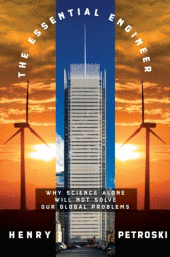
Engineer/Author Henry Petroski, in more than a dozen books, has taken readers on engrossing adventures into subjects ranging from the pencil to collapsing bridges. In his latest book, The Essential Engineer: Why Science The Essential EngineerAlone Will Not Solve Our Global Problems, Petroski eloquently challenges a fundamental and profound bias in our society—the relegation of engineers and engineering to second-class status among professions.

Even though every manmade object—including the computer on which you read this review—was invented by engineers, they remain all-but-invisible in the media and in the public conscious. For example, an analysis by researchers Deborah Illman and Fiona Clark of two decades of research coverage in The New York Times found that mentions of science and scientists consistently outnumbered by two to one mentions of engineers and engineering.

In The Essential Engineer, Petroski traces the roots of the perceived primacy of science over engineering, declaring that

…our Western Platonic bias has it that ideas are superior and prerequisite to things. Hence, scientists who deal in ideas, even ideas about things, tend to be viewed as superior to engineers who deal directly in things. This point of view has no doubt contributed to the mistaken conclusion that science must precede engineering in the creative process.

In America, the origins of the science-before-engineering bias arose in the 1940s, when science administrator Vannevar Bush promulgated a simplistic linear model of science and engineering “that put research before development in name, status, fact, and deed.”

Petroski demonstrates the fallacy of this model by pointing out that technologies including the steam engine, powered flight and rockets “provide incontrovertible evidence for technology leading science. Basic research, in short, has long been suggested and motivated by and intertwined with technological development–and often has been led by it.”

In short, he writes, R&D could just as well be D&R, and “both R&D and D&R are really linked segments of a long and continuing line of interdependent activities and results. Perhaps we should speak of R&D&R, or even longer strings of D’s and R’s, as if they were part of an industrial genome.”

“Science is a tool of engineering,” writes Petroski, “and as no one claims that the chisel creates the sculpture, so no one should claim that science makes the rocket. Relying on nothing but scientific knowledge to produce an engineering solution is to invite frustration at best and failure at worst.”

What’s more, he writes,”…engineering and technology often precede science, because so many instruments and devices are needed to carry out the experiments essential to making scientific observations and testing scientific hypotheses.”

The media in general, and not just The New York Times, have done their part to minimize the importance of engineers, writes Petroski who suggests that “…as a way of dismissing their individuality…that engineers are often subsumed by careless journalists and layperson into the general rubric of scientist.”

Petroski also addresses the interchangeable use of “engineers” and “scientists” in newspaper headlines, asking “…could it be promulgated—if unwittingly—by science writers and reporters in the media whose members have overwhelmingly studied science rather than engineering in college?”

One problem, points out Petroski, is that too many of engineering’s accomplishments are “underground, behind architectural facades and associated with other professions.” Another problem is that when engineers are placed front and center in media coverage, it too often tends to be in the context of disaster.

The Essential Engineer is far from a negative screed, though. Petroski deftly describes the optimistic, challenging, rewarding nature of engineering, declaring that “The design of engineering structures is a creative process in the same way that paintings and novels are the product of creative minds. ” He writes that

Scientists also warn us of the entropic disasters associated with climate change, asteroid strikes, and the like, but warnings are not solutionsnor are they necessarily a death knell. It will be the optimistic engineers who hear the warnings not as doomsday scenarios but as calls to tackle significant problems.

And as for the complexity of engineering’s challenges, Petroski emphasizes that the profession entails more than a rote designing of widgets:

The engineering of things is “pervaded by choice,” something that cannot be easily said about science or even engineering science, to which the natural and made world are givens. Whatever scientists may wish, they cannot credibly propose a theory of motion that does not comport with the facts of the universe.

In a declaration that might surprise many unfamiliar with engineering, Petroski cites its connection with humanities, declaring that “… it behooves scientists and engineers to be connected with the cultures of the humanities and social sciences. Solutions to global problems must take into account matters of humanity and society…. The goal, after all, is not science and engineering for their own sake, but for the sake of the planet and its inhabitants.”

To demonstrate the richness of engineering, Petroski takes the reader through a tour of technologies as seen through the eyes of an engineer, including speed bumps and humps, dams, climate change, “geoengineering” of the earth to combat climate change, renewable energy, nanotechnology, robotics, structural earthquake engineering, hurricane protection, airline accidents, the electric power grid, evolution of the automobile, and “financial engineering.”

And, he firmly establishes engineering’s place in solving the daunting problems such as climate change and energy shortage, facing humanity, writing “In the final analysis, it will be engineering that possesses the same qualities involved in accomplishing the great achievements of the last century that will be the key ingredient in a solution.”

The Essential Engineer—an accessible, enjoyable tour of engineering—is essential reading, not only for engineers and students, but for all of us who benefit from the vast wealth of technology that makes modern life possible.


Can Communication Success be Quantified?

31 03 2010

Can communicators quantify their success? The short answer is sort of. Measuring success in public relations is a controversial and messy business, which is why I didn’t even mention it in Explaining Research. I felt that detailed discussion of the issues would detract from the utility of the book for researchers, who are more interested in learning how to explain their research than how public information officers grapple with the “sausage-making” of measurement.

However, I was reminded of how persistent and frustrating the measurement issue remains when a PIO colleague at a major research laboratory asked for advice about a new boss’s request for a quantitative measure of the office’s media relations success. The new metric-minded boss came from a marketing background—where measuring results is a holy quest—rather than a science communication background, a more complex communication environment. In an e-mail message, my colleague asked some  experienced communicators, including me, to discuss “what captures how well we’re doing our jobs without bogging us down so much with collecting or analyzing information that we can’t do our jobs.”

So, for the benefit of PIOs—and for those researchers interested in such sausage-making—here are some of the issues and pitfalls we explored:

One major measurement pitfall in my opinion is reliance on a long-criticized measurement called “advertising value equivalent” (AVE), which is a dollar amount that quantifies how much media stories would have been worth if they were paid advertising. Developing AVEs for news stories is an incredibly expensive proposition. One news office manager at a university where I worked spent well over $10,000 per year (she wouldn’t reveal the actual cost) with a company that produced an annual AVE for the office’s media clips. Of course, the AVE was huge—many hundreds of thousands of dollars as I recall—and she advertised that amount to her superiors as a meaningful quantitative measure of media relations success.

But AVEs are very poor measurements for many reasons. The best-articulated case against them that I’ve found is a post on the blog MetricsMan that I recommend reading. Basically, MetricsMan declares AVEs invalid because

  • They don’t capture the inherent value of news articles as credible, independent validation of a story; as opposed to the paid appearance of an ad.
  • They don’t measure the impact of an article on a reader.
  • They don’t take into account other important media relations services such as strategic counsel, crisis communications and viral campaigns.
  • They don’t measure the value of keeping negative news out of the media or of coping with it in communication terms.
  • They don’t distinguish between articles that appear in publications important to the institution, versus those that are less important. AVEs only count the cost of advertising in the publication.
  • AVEs count as positive in terms of comparison value even those articles that may be predominantly negative.
  • There is no way to calculate the value of a hit on the front page of a newspaper or a cover story in a magazine, because ads aren’t sold in those places.
  • AVE results may be going up when other legitimate communication measures, such as communication of messages, or share of positive coverage, may be going down.
  • AVEs don’t cover such non-traditional media as blogs or positive conversations on social networking sites.

In our e-mail discussion, veteran research communicator Rick Borchelt summarized the problem of quantification by telling our fellow PIO

I think the take away message is that there is no really good quantitative metric for media relations success, since media relations is/are an assessment of your relationships with media, not with how much ink they spill about you. You can’t really say with a straight face most of the time that the release you put on EurekAlert! generated the story in the New York Times that was read by the junior staffer of the senior Senator who put an earmark in the DOE appropriations bill that got the new molecular biology building. What we struggle with is how to prove the negative:  how much worse would a story about the lab have been if you didn’t know the reporter and could talk her off the ledge of a sensational (but inaccurate) story? Or factor in the opportunity cost of giving one reporter an exclusive that pisses off a dozen others. Or how more likely a reporter with whom you have a relationship is to come to the lab for comment on a breaking story out of all the contacts in his Rolodex. These are intangibles.

Another veteran communicator, Ohio State’s Earle Holland, recommended that our colleague ask some basic questions before even beginning to address the measurement issue:

You said that the new boss asked you to “come up with a way to measure how well we’re doing our jobs.”  First, you need to answer the question of “What is your job?” both in yours and his eyes. Otherwise you won’t know what’s there for comparison—you can’t have a metric without a scale to gauge it against…. Is the goal to get mountains of news media coverage? To what end?  Is it to protect the reputation of [the laboratory]—only good news goes out? Is it to motivate actions or opinions of key constituencies—something that’s probably impossible to gauge causally. Or is it to convey interesting, accurate science information to the public because [the laboratory] is a publicly supported enterprise and the public deserves to know? Who are the constituencies you want to reach and which are more important than others—you can’t just say “they all are. ” My point is that you have to know what would be seen as success before you try to measure how successful you are.

To those cogent comments, I would add that when a boss asks for any kind of measurement, a reasonable response is “What will you use that measurement for?” I have always followed a rule that if some piece of data is not necessary for making a specific managerial decision, then it is not worth gathering.

In the case of the news office manager cited above, she declared that “I will use the AVE for our news clips in advocating for our budget.” But in my experience, such information has never had any significant effect on budget-making. Other factors, such as the economic state of the institution, political advocacy, and persuasion have been far more important.

Even given the caveats and complexities of quantification, though, there are some legitimate numbers that PIOs can offer management, as long as they are put in the context of the overall communications program.

For example, Holland and his colleagues in OSU’s Research Communications office produce an annual report that includes numbers: how many stories produced, how many times they appeared in major media, how big the audiences for those publications were, etc. But these numbers are intended only to give a sense of productivity, not to suggest impact.

The report also explains how the stories were distributed—via blogs, posting on EurekAlert!, Newswise, etc.—and quantifies the audiences for those outlets. And the report quantifies the number of visitors to OSU’s research Web sites. Such data are available directly from the news services, and for the Web sites by using Google Analytics. Also, the appearance of news stories on Google News can be monitored using Google Alerts.

Importantly, however, the annual report also documents the research areas of the university from which news came, to demonstrate the comprehensiveness of coverage. And, it discusses the broad range of other ways the office uses stories, interacts with reporters and serves faculty members. Thus, the annual report goes beyond mere numbers to present a full picture of the office’s activities.

Such documentation of productivity is important. However also critical, and often neglected, is demonstrating productivity by proactively making sure that key administrators and other audiences are aware of  news stories and other communications achievements.

My favorite example of such proactive demonstration is the process that Borchelt established to remedy the lack of visibility for important media stories, when he was communications director at Oak Ridge National Laboratory. “Here was an institution focused on media stories as their goal. So, they would get this great story in the New York Times, and they would mention the story when visiting their congressman, and he’d ask ‘What story?’ ”

Thus, Borchelt began sending major media stories, along with a letter from the director, to important members of congress, as well as program officers and directors of the DOE, which funds the laboratory. “The letter would say ‘Thank you so much for giving us the opportunity to work on this exciting research that is reported in today’s New York Times,’ ” said Borchelt. “And we would often append the new release, because it tended to have a better explanation of what we were doing; and also because we could acknowledge the funding agency, so they could see that they got credit. It was hellishly labor-intensive, but incredibly useful,” said Borchelt. Members of Congress would use the articles in their communications to colleagues and even read them into the Congressional Record.

So, although media relations productivity can be sort of quantified, numbers are not enough. They must constitute only one part of a comprehensive effort to communicate productivity in all its forms to the people who sign the paychecks.


How the iPad is Inspiring New Publication Formats

22 03 2010

Even as it it just coming to market, the Apple iPad—and its tablet computer iCousins—is already inspiring designers to come up with dramatic new interactive publication formats. These dynamic formats offer both a challenge and an opportunity to communicators and researchers. Before a discussion of these new  formats, take a look at the demonstrations below to get an idea of the possibilities.

First, a Time, Inc. demo of what a tablet computer version of Sports illustrated might look like:

To see a more artsy approach, watch the demos of  the iPad version of the online magazine VIVmag featured in this New York Times Bits blog post “A Peek at an Interactive Magazine for the Apple iPad.”

Finally, look at Wired magazine’s description of its plans for an iPad version of the magazine.

So, what does this new  interactive multimedia publication format mean for researchers and research communicators? One the positive side, it will offer a platform for dramatic communication of science and technology. Imagine how stunning would be interactive multimedia  iPad versions of articles on Hubble images, genome structure or airplane design.

On the other hand, such  interactivity wouldn’t add much functionality to such research news sites as Scientific American and Science News. And it would certainly add more production expense, as the Bits blog post points out.  For example, each issue of VIVmag will cost $6, and the blog quotes the magazine’s chief marketing officer, Jeanniey Mullen as saying, “It is an expensive process…. It takes the same amount of time to create as a print edition, but we’re creating a living product that is fully dynamic.”

Also, given that tablet computers will not be ubiquitous for some time, it is certainly not cost-effective for research communicators to consider creating such publications now. There’s an old-time term, “play-pretty,” that people used to denote a shiny toy given a child. That term could be applied to these iPad formats. They’re not practical, but they sure are nice play-pretties.

However, as tablet computers proliferate—and as the production software tools come into routine use—these new formats could prove valuable for adding interactivity, drama and flash to the communication of research.


Newsforce Network: a New Force in News

19 03 2010

As readers get more and more of their news online, and as the number of journalists continues to shrink, communicators are developing new Newsforce Network logostrategies to get their online news noticed, such as search engine optimization and the use of social media. The traditional advertorial is evolving online, too, and one of the most interesting new advertorial services is Newsforce Network. Basically, it enables clients to develop editorial content that readers can access from headline links in a special box on the Web pages of major national media. Here’s an example from the Newsforce Network site.

To learn more about Newsforce, I asked Chief Marketing Officer Dana Todd to explain how it works and what it means to research communicators:

How do the advertorials created by Newsforce differ from traditional banner ads?

Our Newsforce “headline units” rotate in the same spot as IAB (Interactive Advertising Bureau) standard banner ads, so there’s no need to carve out a new box on a publisher template. The difference is primarily in two areas: visual experience and marketer strategy. Visually, we offer a two-part creative: a headline/teaser which looks similar to editorial headlines (but is marked as Sponsored Content)—which then clicks to a micro-site that tells the full story in text, pictures and (optionally) video. In terms of marketer strategy, we find a unique niche with brands that need a longer-format creative to persuade, inform and arouse interest from the public. This might also include communication goals that are typically reserved for PR, such as research publishing, issues platforms, or corporate social responsibility messages. Newsforce advertorials fit that bill perfectly—we combine the sophisticated targeting capabilities of ad serving systems with a unique branded storytelling experience.

What news sites can Newsforce content appear on?

First, let me clarify: we’re not a network per se—we license our technology to news publishers and other networks. That being said, we’ve found a lot of demand for high-quality advertorial like ours. Over 500 websites in the US are now “Newsforce-enabled,” including most major regional newspapers and 100+ broadcast news sites. Some of our sites include Politico, LA Times, Chicago Tribune, San Francisco Chronicle, Investors Business Daily, and New York Daily News. We are actively adding new publisher partners and resellers, and are developing partnerships with key vertical news publishers in Health and Politics.

What are the advantages to the media sites of having such advertorial content?

The main advantages are revenue and inventory differentiation. News is a special type of media, with the highest level of trust among readers—and properly labeled advertorial and sponsored content has long been a successful offering in print, without causing any damage to the news brand. We’re simply helping news publishers automate the process and create more online revenue streams. Banner ads as a rule tend to be commoditized in terms of pricing, with the average banner CPM (cost per thousand impressions) bringing in $1CPM or less. Rich media (animated Flash banners) brings in higher dollars (avg. $18CPM) but is not really an accessible creative type for many advertisers—it’s costly to produce. Newsforce is exclusive to news publishers at this time, is easy for advertisers to produce (they’re already writing content for Web and PR) and lets publishers set their own rates. Most of our publishers are charging $5CPM-$20CPM per headline.

Could a university, government or corporate laboratory target placements to specific media sites or to topic-relevant pages within a site?

Absolutely. That’s one of the exciting product differentiators between us and a syndication company. With a digital advertorial service, you’re paying for extended and higher visibility and you can target not only the content on the page, but also the person reading it! We can target against profiles such as demographics (region, gender, age), political party, lifestyle, job seekers, alternative health, you name it.

What can content consist of?

We typically like to see a well-written and interesting story, 400-1000 words, with plenty of hyperlinks throughout the story for people to click on. We also allow a logo, up to two pictures w/captions, and can embed YouTube videos or other multimedia links. You can see a sample page here of a thought leadership article by a tech company. We’ll be expanding our story templates in the future to try different layouts and branded content styles.

Is there evidence that viewers perceive Newsforce content differently from banner ads?

Absolutely. they’re more likely to “skim” our headlines because they’re in reading mode, gathering the news quickly at a scan and filtering what they want to explore further. We see a significantly higher visual interest in long-form sponsored text links than other types of ads, both banner and text-link ads such as Google Adwords and Yahoo links. We did an extensive eye tracking study early on to determine whether or not people were interested in our headlines. Newsforce headlines, which are of high editorial quality, got an 8x attention from readers over banners, and a 3x attention over traditional contextual text link ads.

How would a client go about creating content for Newsforce placement?

Tell a great story—or even better, a series of stories so you can test reader interest on each. We all make assumptions in our storytelling about what’s interesting, but we’re not always right. There’s higher click activity on personal interest stories, health, lifestyle, and anything with numbers (research) or a local interest. People are most interested in the things they think could affect them or their community (geographic and business community).

How expensive are Newsforce advertorials?

We have regional partners who will sell small packages of $500, and our national buys start at $10,000 per month for an order—it’s very similar to planning and buying premium banner space. Most campaigns run at least 90 days so that you can test properly and get a decent share of voice. If your audience is familiar with CPM pricing, the range is $5-$20 CPM, depending on the targeting options and sites.

Under what circumstances would research institutions consider syndicating content via Newsforce?

Well of course we’d like it to be all circumstances! But we understand that not every storyline merits a promotional budget underneath it. By the way, we don’t call our service a syndication service. Syndication is low-cost and a great option for many PR activities, but it’s relatively passive in terms of providing controls. When companies want to “supersize” their exposure and guarantee its visibility to a particular audience, that’s where Newsforce is a valuable service. You’re not dependent on pickups from journalists—you’re speaking directly to readers.

How do you measure the impact of posted content?

We track everything, and we support third-party tracking tags on our links so that advanced analytics can be employed for follow-on conversion tracking and visitor behavior modeling. It’s certainly the most granular feedback anyone has ever gotten before, compared to traditional PR methods.

How would you say Newsforce represents a trend in online media relations?

There’s a significant and continuing fragmentation of what we consider to be “media.” With over 40,000 journalists laid off just last year, and the emergence of thousands of competing news sources and blogs for people to read, it’s not as simple as just picking up the phone and getting someone from mass media to help you get the word out. Those days are over. Most PR firms are gravitating towards social media as their next tool, since it feels more comfortable and similar to activities they did in traditional media relations (find influencers, pitch them stories). More aggressive and experimental folks in the digital marketing space are taking over a lot of the digital PR activities, and are trying out things like optimizing press releases and other content for search engines, building co-branded content with publishers, and building their own syndication channels. We feel that Newsforce gives companies a “big stick” to wield that helps replace the mass media voice they used to have, and allows companies that aren’t Apple or IBM to have the same chance at getting national attention for their stories.


NSF’s “Science360” Offers a Panorama of Science

17 03 2010

The National Science Foundation’s Science360 News Service Web site and daily e-mail news feed offers an engaging selection of interesting science and also a great opportunity for scientists and communicators to highlight their work. Anybody can subscribe to the news feed by just entering their email address in a box on the site. To learn more about Science360, I interviewed Dana Topousis—acting division director for public affairs in NSF”s Office of Legislative and Public Affairs:

How did the idea for Science360 originate?

NSF decided to create the Science360 News Service in 2008, when we realized that science coverage in the national mainstream media had dwindled.  Most of the remaining science reporters were covering space and health, and NSF funds basic science and engineering across the board. We also began discussions with public information officers (PIOs) at universities and institutions around the country whose researchers receive NSF funding. We wanted to find ways to collaborate with those PIOs to help promote research results across all aspects of science and engineering.  We wanted to create a service to draw reporters’ attention to the amazing discoveries being made every day that they may not have time to track themselves.

What is the editorial mix for the service?

We seek breaking news, fresh video and audio content, engaging images with a brief caption, science blogs, and current highlights from science journals and publications.  Most of our submissions come from public information officers and other federal agencies.  We seek any science-related content, and we don’t limit the News Service to only NSF-funded research news.

What kind of distribution does it have now?

Our distribution list includes mostly journalists, freelance writers, and public information officers, all of whom are welcome to use the Science360 News Service content for ideas or for use on their respective websites and publications.

What kind of impact on science communication do you believe the service has had?

We’ve seen an increase in both subscribers and contributors, and we’ve seen content from Science360 News Service carried on websites such as Popular Mechanics, U.S. News & World Report and LiveScience.com. Each item in the News Service has an RSS feed attached, and we’ve seen items picked up on Yahoo News, Twitter, and other outlets.  We also post some of our News Service content on NSF’s Facebook page.

How are the articles, releases, videos, podcasts and blog posts chosen?

Every day, we receive submissions from public information officers and federal agencies. We also look through EurekAlert! for fresh content. Our editor reviews science coverage and news items to see what topics are popular or what gaps we might fill. We choose our blog posts from Discover, Scientific American, scienceblogs.com, public information officers and researchers.  We also have a multimedia editor who contacts public information officers and federal agencies on a regular basis about submitting video and audio content; some of that multimedia content is from regular-running series. Every Monday, we feature a new episode of Science Nation, a video series that NSF creates—in collaboration with the former CNN science and technology team—that highlights innovations in science and engineering.

Do you do some of your own production?

Yes. We produce video and audio slideshows, videos, and podcasts. We also write our own press releases and feature stories.

How do you choose those stories?

We select our stories based on current news items.

What advice would you  give communicators about developing the best content for Science360?

We look for fresh content and content that showcases the vast array of science and engineering research. We also ask communicators to provide us as much advance notice of their upcoming stories as possible. And we welcome communicators to write to editor@science360.gov if they have any questions. That email address is also how communicators can submit their stories for consideration.